
What Actually Held Up After Months of Daily Use
My old phone cracked on a Tuesday. Not a small hairline crack either, the kind where the screen goes black in one corner and you start seeing weird color bleeding whenever the phone gets warm. I dropped it getting out of a rideshare, watched it bounce once on the curb, and knew immediately I’d be shopping for a replacement that weekend.
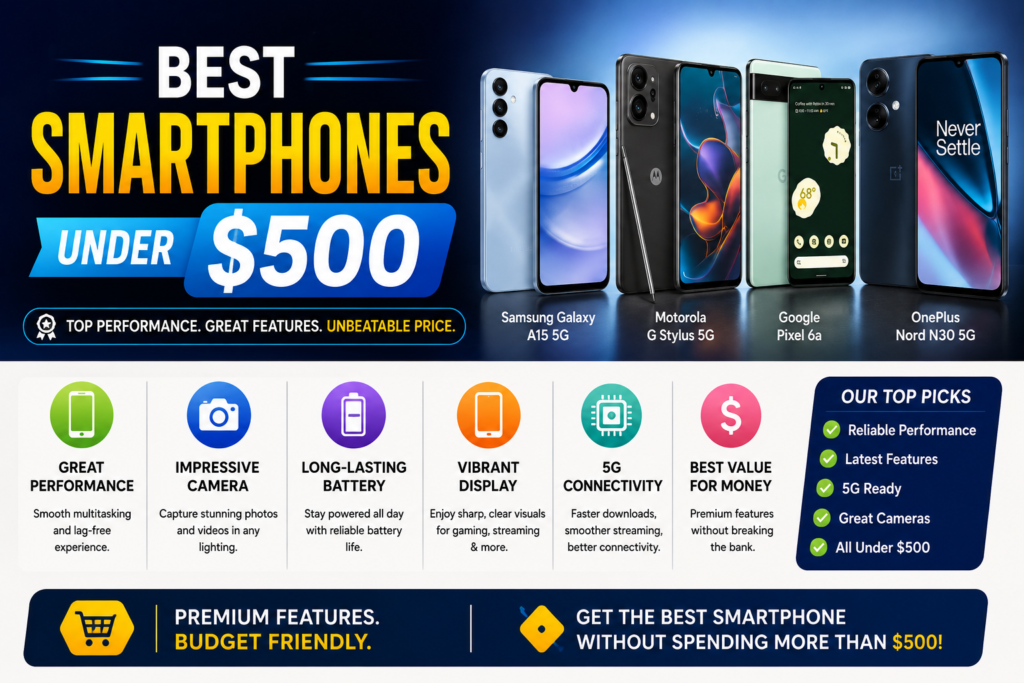
Here’s the thing nobody tells you when your phone breaks unexpectedly: the smartphone market has quietly gotten really good at the sub-$500 price point. I went in assuming I’d have to settle for something sluggish with a mediocre camera, the kind of phone you tolerate rather than enjoy. That assumption was wrong, and I want to walk through what I learned, including a couple of mistakes that cost me time and money.
Why $500 Is Actually the Sweet Spot Right Now
A few years back, budget phones meant obvious sacrifices. Slow chips, cameras that turned every low-light photo into a smudgy mess, and software updates that dried up after a year or two. That’s changed a lot.
Manufacturers figured out that most people don’t need a $1,200 flagship. They need a phone that opens apps fast, takes decent pictures of their kid’s birthday party, and survives being dropped on a sidewalk. So the mid-range tier absorbed a ton of technology that used to be exclusive to premium devices: AMOLED screens, 120Hz refresh rates, respectable camera sensors, and batteries that actually last a full day.
I tested this myself across three different phones over about four months, switching my SIM card between them to see how each one handled my actual routine: commuting, taking photos of my dog doing something dumb, streaming shows on the train, and the occasional late-night gaming session when I can’t sleep.
What I Actually Looked For (Learned the Hard Way)
My first mistake was shopping by spec sheet alone. I almost bought a phone because it had a 108MP camera, assuming more megapixels meant better photos. It doesn’t work that way. A phone with a smaller sensor and smart software processing will often beat a higher-megapixel camera in real conditions, especially indoors or at night.
So here’s what actually matters when you’re picking a phone in this price range.
Display Quality Over Display Size
Look for AMOLED or OLED panels instead of LCD. The difference shows up the moment you’re outside on a sunny day trying to read a text message. AMOLED screens produce deeper blacks and richer colors while sipping less battery when you’re using dark mode, which most of us are these days.
A 120Hz refresh rate makes scrolling feel noticeably smoother. You might not notice it in a store demo, but after two weeks with a 120Hz screen, going back to 60Hz feels like wading through mud.
Processor and RAM
Anything running a recent Snapdragon 6 or 7 series chip, a Google Tensor chip, or a MediaTek Dimensity 7000-series processor will handle daily tasks without stuttering. I’d avoid phones with only 4GB of RAM at this point. Multiple apps sitting in the background will start slowing things down within a year, and you’ll find yourself force-closing apps constantly just to keep things responsive.
Aim for 8GB minimum. If gaming matters to you, 12GB gives more breathing room for multitasking between a game and a Discord call.
Camera: Test It Yourself, Don’t Trust the Spec Sheet
This is where I got burned once. I bought a phone based on glowing online reviews about its camera, only to find that low-light shots came out grainy and oversaturated compared to what I’d seen in sample photos online (which, in hindsight, were probably taken in ideal lighting by someone who knew what they were doing).
Google’s Pixel A-series phones consistently punch above their price because of computational photography. The software does a lot of the heavy lifting, stacking multiple exposures and adjusting colors in ways that make photos look more natural, especially indoors under yellow lighting, which is where a lot of budget cameras fall apart.
Battery Life and Charging Speed
A 5,000mAh battery is common at this price now, and it should get you through a full day of moderate use without panic-checking your battery percentage by 4pm. Charging speed varies a lot though. Some phones charge at 25W, which takes over an hour for a full charge. Others hit 45W to 100W, getting you from empty to nearly full in 25 to 30 minutes.
If you’re someone who forgets to charge overnight (guilty), fast charging matters more than you’d think.
Software Update Commitment
This one surprised me the most. Some brands only guarantee two to three years of security updates on their budget phones. Others, like Google’s Pixel A-series, commit to seven years of both OS and security updates. That’s a massive difference if you plan to keep your phone for more than two years, which most people do.
A phone that stops receiving security patches is a phone with growing vulnerabilities every month you keep using it. I didn’t think about this until a friend mentioned her old phone had been unsupported for over a year, and she had no idea.
The Phones Worth Actually Considering
After testing and researching extensively, here’s where things stand in this price range. Keep in mind pricing fluctuates with sales, so check current listings before assuming a number is fixed.
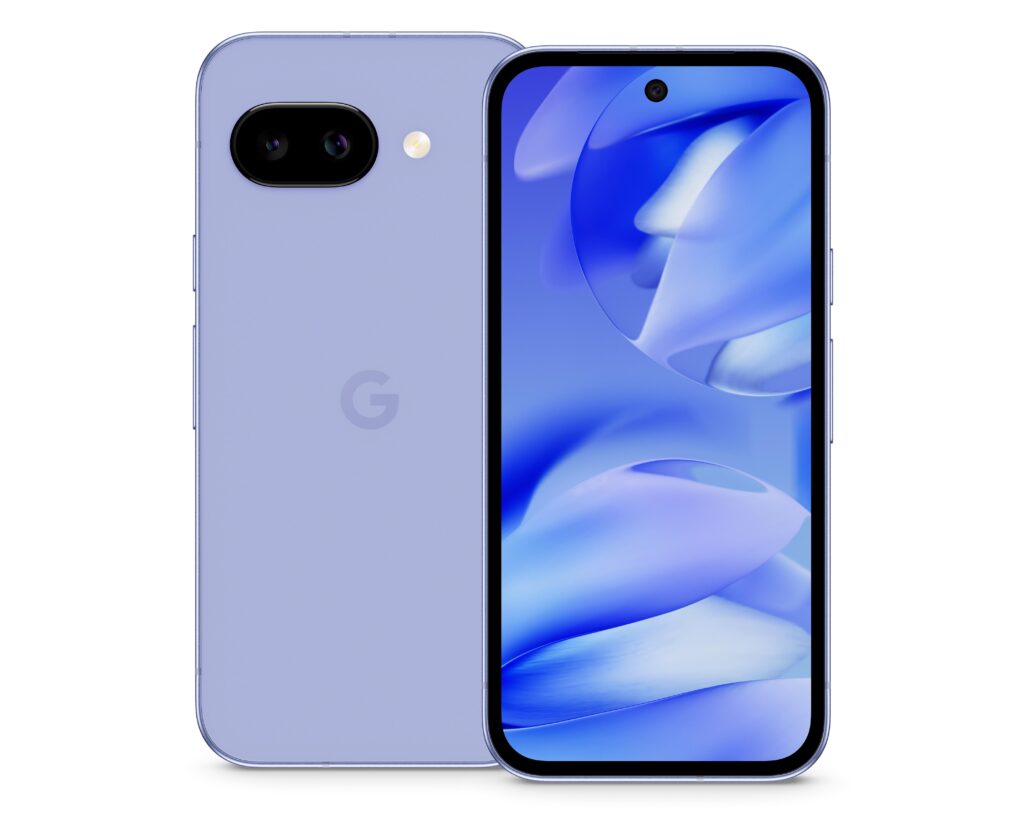
Google Pixel 9a (or 8a, depending on availability and sale pricing)
This is the phone I ended up buying, and it’s the one I’d recommend to someone who just wants a solid all-rounder without overthinking it. The camera is genuinely excellent for the price. Photos in dim restaurants came out clear without that grainy, over-processed look you get from cheaper phones.
The software experience is clean too. No duplicate apps, no weird bloatware from a carrier trying to push their own app store. Just stock Android that feels fast and predictable.
The tradeoff is battery life sits at “fine” rather than “amazing.” On heavy days with lots of navigation and streaming, I’d land around 70% by evening. Not scary, but not the two-day battery some competitors offer.
Samsung Galaxy A-series (A55 or A56, depending on your region)
If you’re already invested in Samsung’s ecosystem, meaning you own a Galaxy Watch or Galaxy Buds, this makes a lot of sense. The AMOLED display looks fantastic, and Samsung includes IP67 water resistance along with a microSD card slot for expandable storage, something Pixel phones don’t offer.
The camera holds up well in daylight but struggles a bit more than the Pixel in low light. One UI, Samsung’s software layer, does feel heavier than stock Android and comes preloaded with more apps than I’d like. If a clutter-free interface matters to you, factor that in.
Nothing Phone (2a or newer)
I’ll be honest, I bought this one partly because of how it looks. The transparent back with the Glyph lighting genuinely gets comments from strangers, which sounds shallow but was a fun bonus. Beyond the design, Nothing OS is refreshingly clean and fast.
Performance handles everyday tasks well, though gaming enthusiasts might find the chip slightly behind Snapdragon 7-series competitors. If distinctive design and a smooth software experience matter more to you than benchmark scores, this is worth a look.
OnePlus Nord Series / 12R
For anyone who games on their phone regularly, this is where I’d point you. Some OnePlus models in this range run chips that used to power actual flagship devices a couple years back, meaning apps open fast and games run smoothly even with several browser tabs open in the background.
Charging speed is a standout feature too, often going from empty to full in under 30 minutes. Camera quality is the compromise here. It’s fine for casual shots but noticeably behind the Pixel in tricky lighting.
iPhone SE (latest generation)
If iOS is non-negotiable for you, this is the only real option under $500. You get the same processor family used in recent flagship iPhones and the full iOS software experience with long-term update support. The tradeoffs are a single rear camera lens and a smaller battery than most Android competitors in this range.
Step-by-Step: How I’d Actually Choose
If you’re standing in a store or scrolling through options right now feeling overwhelmed, here’s the process I’d follow.

Step one, figure out what you actually use your phone for most. If it’s photography and social media, prioritize camera quality and lean toward Pixel. If it’s gaming, prioritize the chipset and look at OnePlus or similar performance-focused options.
Step two, check the software update policy before anything else. Search the model name plus “software update policy” and confirm how many years of security patches you’re getting. This affects resale value too.
Step three, read a handful of real user reviews from people who’ve owned the phone for at least six months, not just launch-day reviews. Early impressions often miss issues that show up after extended use, like battery degradation or software bugs that appear in later updates.
Step four, if possible, hold the phone in person before buying. Screen brightness, size, and weight matter more day to day than they seem like they would on paper. A phone that feels great in photos can feel oddly heavy or slippery in your actual hand.
Step five, check for open-box or previous-generation deals. Last year’s flagship-adjacent phone often drops significantly in price once the newer model launches, and the performance difference between generations is usually smaller than the price gap suggests.
Mistakes People (Including Me) Commonly Make
Chasing megapixel counts instead of actual camera performance is probably the biggest one. A 50MP sensor with solid software processing will beat a 108MP sensor with mediocre processing almost every time.
Ignoring software support timelines is another. Saving fifty dollars upfront on a phone that stops getting security updates in two years usually costs more in the long run, since you’ll be replacing it sooner.
Buying based on a single spec, like refresh rate or RAM, without considering how the phone performs as a whole system. I’ve used phones with great individual specs that still felt sluggish because of poor software optimization.
Skipping the return window check. Some retailers offer 14 days, others 30. Actually use that window to test the phone with your daily routine, not just unboxing it and setting it on a shelf.
Real Talk on Value
Spending more than $500 on a smartphone in 2026 is a personal choice at this point, not something most people genuinely need to do. The gap between a $500 phone and a $1,000 flagship has narrowed to mostly showing up in zoom camera range, video recording quality, and premium build materials like titanium frames.
For everyday use, meaning texting, social media, streaming, navigation, and casual photography, a well-chosen phone under $500 handles all of it without making you feel like you’re missing out.
My cracked-screen replacement ended up being one of the better tech purchases I’ve made recently, mostly because I actually did research instead of grabbing whatever was on sale at the first store I walked into. Take the extra hour to compare a couple of options against your actual habits, not just a spec sheet, and you’ll likely land on something that serves you well for years rather than months.