
Last month I clipped a tiny device onto my shirt before a client meeting. I forgot about it within minutes. By the time I sat down for lunch, a full summary of the meeting was already sitting in my phone. Action items were highlighted. Nothing was missing. That’s when it clicked for me: AI-powered gadgets aren’t a gimmick anymore, they’re actually changing how I get through a day.
I just stared at my screen for a second. That’s the moment it hit me. We’re not talking about smart gadgets anymore. We’re talking about devices that actually do things for you, without you constantly telling them what to do.
I’ve spent the last several months buying, testing, and occasionally returning a pile of these AI gadgets. Some genuinely changed how I work. Others were flashy nonsense dressed up with a marketing buzzword. Here’s what I actually learned, including a couple of purchases I regret.
Why This Feels Different From Old “Smart” Gadgets
A decade ago, smart just meant connected. Your thermostat could talk to your phone. Your speaker could set a timer. That was basically it.
What’s happening now is different. These devices don’t just wait around for commands. They observe patterns, make decisions, and take action on their own. Tech writers have started calling this shift “agentic AI.” Once you actually use one of these gadgets, the term makes sense fast.
A tool waits for you to use it. A partner notices you’re busy and steps in without being asked. That distinction is what makes this generation of gadgets feel genuinely different, not just marginally smarter.
The Wearable That Actually Changed My Workday
I’m going to start with the device that surprised me most: the Plaud NotePin. It’s a small wearable voice recorder that clips onto your shirt or hangs as a necklace.
What It Actually Does
You tap it once, and it starts recording. It transcribes everything, then organizes the conversation into a structured summary with action items pulled out automatically. I’ve used it in meetings, during interviews, and even while brainstorming out loud on a walk.
The battery lasts around forty days on standby, so I genuinely forget to charge it most weeks. That alone puts it ahead of half the gadgets sitting in my drawer right now.
The Mistake I Made With It
I assumed the transcription would work fine outdoors. It doesn’t, at least not reliably. Wind noise and background chatter mess with accuracy more than I expected. My first attempt at recording a conversation on a windy patio came back as mostly garbled nonsense. Lesson learned: this thing shines indoors, in meetings, or anywhere relatively quiet.
I also didn’t realize the deeper AI features, like automatic mind maps and structured summaries, require a subscription. The base recording works without it, but you’ll want the paid tier if you’re using this seriously for work.
Smart Glasses That Don’t Look Like Tech Gadgets
I was skeptical about smart glasses for years. Every version I’d seen looked like something out of an awkward gadget review, not something you’d actually wear in public.
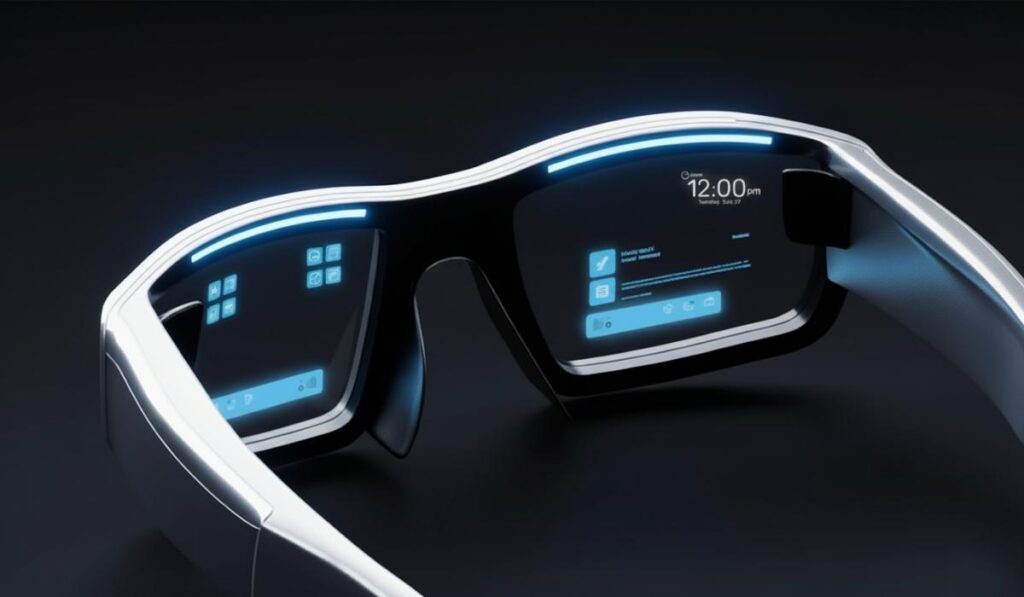
The Ray-Ban Meta glasses changed my mind. They genuinely pass as normal eyewear. Nobody at a dinner party has ever asked me why I’m wearing weird tech glasses, because visually, they aren’t.
Step-by-Step: What Using Them Actually Looks Like
First, you pair them with the Meta AI app on your phone, which takes about five minutes. Once connected, you can ask the glasses questions out loud. Meta AI answers back through the open-ear speakers built into the frame.
Second, the built-in camera lets you capture photos and video hands-free. That sounds gimmicky until you’re holding a toddler in one arm and a diaper bag in the other, and still manage to catch a good photo.
Third, you can livestream directly to Instagram or Facebook from the glasses themselves, no phone required. I used this once on a hiking trail. The footage came out way better than anything I would’ve captured holding my phone up the entire time.
The catch is battery life during heavy use, especially video. A full day of casual use is fine. A day of constant recording will drain them by early afternoon.
Smart Home Devices That Feel Like an Actual Assistant
I resisted smart displays for a long time. Most of them felt like glorified digital picture frames with a voice command bolted on. That changed once I actually used the newer Alexa+ integration on Amazon’s larger Echo Show.

How This Differs From Older Smart Speakers
The old version of Alexa needed very specific phrasing. You’d say a command, and if you got the wording even slightly wrong, nothing happened. The newer version handles multi-step requests in plain language.
I tested this by saying something intentionally complicated. My parents were supposedly coming for dinner, so I asked it to find a recipe based on what’s in the fridge, then set a reminder to start cooking at a specific time. It actually handled the entire chain of logic without me breaking the request into three separate commands.
That’s the part that felt like science fiction. Not the voice recognition itself, since that’s been around for years. What impressed me was how it strung together multiple steps correctly on the first try.
A Similar Shift With Google’s Nest Hub
Google’s updated Nest Hub uses on-device Gemini Nano processing. That means the smarter features work faster, and with better privacy since less data leaves the house. It starts noticing patterns over time, like when you usually dim the lights or what your morning routine looks like. Eventually it begins suggesting things before you even ask.
Health Wearables That Track More Than Steps
I used to think fitness trackers were basically all the same, just measuring steps and calling it a day. That assumption fell apart once I tried a modern AI health ring.
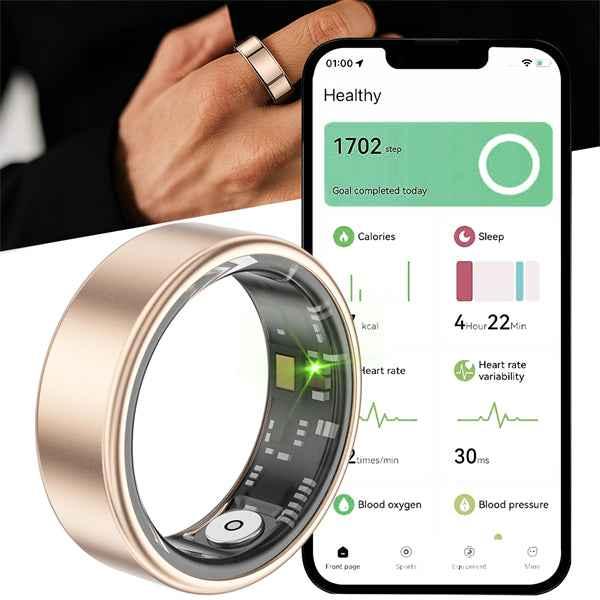
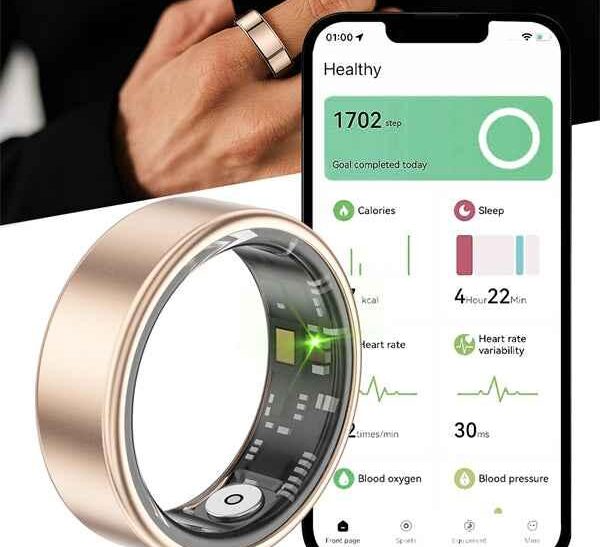
Rings like the Samsung Galaxy Ring or Oura Ring now track sleep stages, heart rate variability, and recovery scores. The detail rivals what used to require a hospital-grade device. The AI component isn’t just logging numbers. It’s interpreting them and telling you what they actually mean for your day.
One morning mine flagged unusually poor recovery before I even felt tired. By early afternoon, I was fighting off what turned into a mild cold. It wasn’t magic. Just pattern recognition based on subtle changes in resting heart rate and temperature, but it genuinely gave me a heads up I wouldn’t have caught otherwise.
Earbuds With Real AI Built In
Noise-canceling earbuds used to rely on a single fixed profile. You wore them, and the cancellation worked the same way regardless of your ear shape. It didn’t matter how the buds actually sat in your ears.
Newer earbuds, like Nothing’s Ear line, adjust the noise cancellation profile based on fit. The AI compensates for how they physically sit in your specific ears. The AI compensates for seal quality differences instead of applying a generic setting to everyone. Some models even let you talk to an AI assistant directly through the earbuds. You never even need to pull out your phone.
How to Actually Pick Which AI-Powered Gadgets Are Worth Buying
After testing more of these than I probably should have, here’s the process I now use before buying anything new.
Step one is applying what I call the phone test. If a gadget does something your phone already does just as fast, skip it. The winners in this space do something a phone genuinely can’t. Think always-on, hands-free, or physically integrated into a room.
Step two is checking whether AI features require a subscription. Plenty of gadgets advertise AI capabilities that are actually locked behind a monthly fee. You only find out once you dig into the fine print. Know that going in so you’re not surprised later.
Step three is researching how the device handles data. Look specifically for on-device processing for sensitive tasks like voice recording. Devices that encrypt data locally before sending anything to the cloud are generally the safer bet for privacy.
Step four is testing real-world conditions before fully committing, not just quiet living room demos. Try recording in a noisy room. Try using voice commands in a crowded space, or wearing a device through an actual full day instead of a curated ten-minute test.
Step five is checking the company’s update history. Hardware might last years, but the AI itself only improves through software updates. Companies with a solid update track record keep devices feeling fresh. The ones that go quiet after launch tend to stagnate within a year.
Common Mistakes People Make Buying AI Gadgets
Assuming “AI-powered” automatically means genuinely useful is probably the biggest trap. Plenty of budget gadgets slap the term on basic automation that isn’t actually intelligent in any meaningful sense. Cheap earbuds claiming AI noise cancellation, for example, are sometimes just running a fixed algorithm with no real adaptation involved.
Buying based on hype videos instead of real usage reviews is another common mistake. A polished demo video rarely shows the frustrating moments. That includes a voice assistant misunderstanding the same request three times in a row.
Ignoring the ecosystem a device fits into causes headaches later. Say you’re already deep into Apple’s ecosystem. Buying a device built primarily for Amazon’s Alexa system just creates friction instead of convenience. Check compatibility with your existing setup before buying anything new.
Overlooking battery life expectations under real use is common too. Many devices advertise best-case scenarios, like standby time. That number rarely reflects how the battery drains during actual heavy use, especially with video or constant voice interaction.
Forgetting to test privacy settings is a mistake I made myself early on. Most modern devices default to sharing voice data to improve their AI models. Digging into settings to disable that sharing, if privacy matters to you, is worth the extra five minutes.
Real Talk on What’s Actually Worth Your Money
Not every AI gadget deserves a spot in your daily routine. Some genuinely useful ones exist right alongside plenty of gimmicks riding the current wave of AI hype.
People who attend a lot of meetings or interviews will get their money’s worth from a wearable recorder like the Plaud NotePin. If you’re active outdoors and want hands-free photo and video capture, smart glasses like the Ray-Ban Meta line are worth trying. Health tracking enthusiasts should look at a modern AI ring instead, since it offers real insight rather than just step counts.
Skip anything that just replicates a free app you already have on your phone with a fancier interface. That’s usually the clearest sign a gadget exists more for marketing buzz than actual usefulness.
Final Thoughts
None of this stuff replaces basic common sense or careful research before buying. What’s changed is genuinely exciting though. Gadgets that used to sound like science fiction are now sitting in ordinary people’s pockets and on their shirts. Ones that listen, learn, and act without constant handholding.
I didn’t expect a tiny pin clipped to my shirt to change how I handle meetings. I didn’t expect glasses to make hands-free photography feel completely normal instead of awkward. But here we are, and the pace of what these devices can actually do keeps accelerating every few months.
If you’re curious where to start, pick one problem in your daily routine that genuinely annoys you. Maybe that’s forgetting meeting details, or losing track of your health patterns. Look for a device built specifically to solve that one thing well.
That’s a far better strategy than buying whatever gadget has the flashiest AI marketing this month. The novelty wears off fast. What sticks around is whatever actually saves you time or catches something you would’ve missed.
A year ago, I would’ve rolled my eyes at most of this. Today, I’ve got a pin on my shirt, a ring on my finger, and glasses that quietly film my dog doing something ridiculous every other week. None of it feels like science fiction anymore. It just feels like Tuesday.